Kindnss Self Record Setup
We want you to look and sound like yourself just the polished version.
Follow these simple guidelines before recording. Don’t overthink it. Small adjustments make a big difference.
1. Lighting
Do:
Position the main light source in front of you and slightly to the side (about a 45 degree angle); side lighting is more flattering than completely frontal lighting
Turn on lamps and overhead lighting if the room around you looks dim
Avoid:
Sitting with a bright window behind you (you’ll appear as a silhouette)
Overhead-only lighting (creates shadows under your eyes).
Mixed light temperatures (e.g., warm lamp + cool daylight).
Quick test: If your eyes are bright and there are minimal shadows on your face, you’re in good shape.
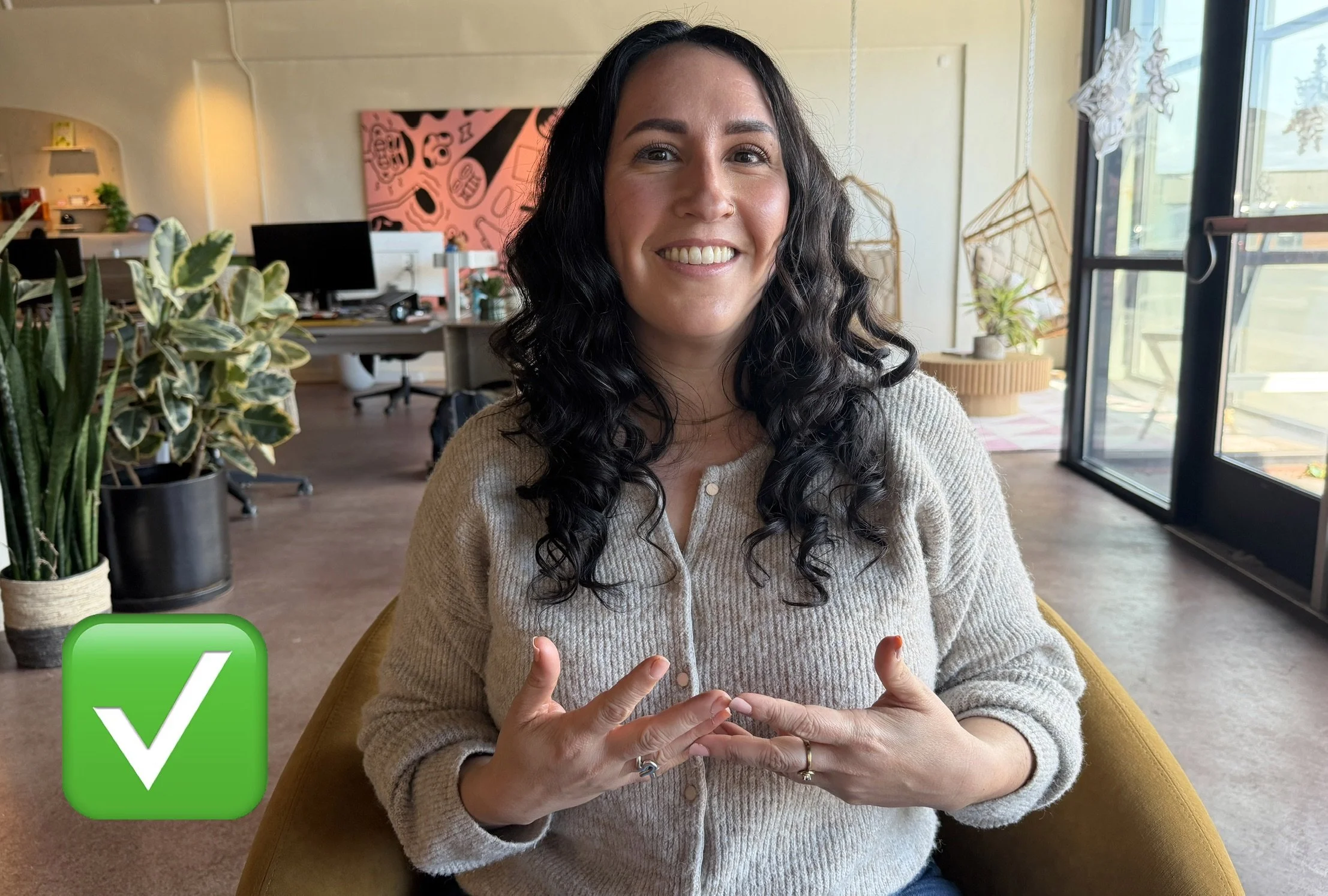
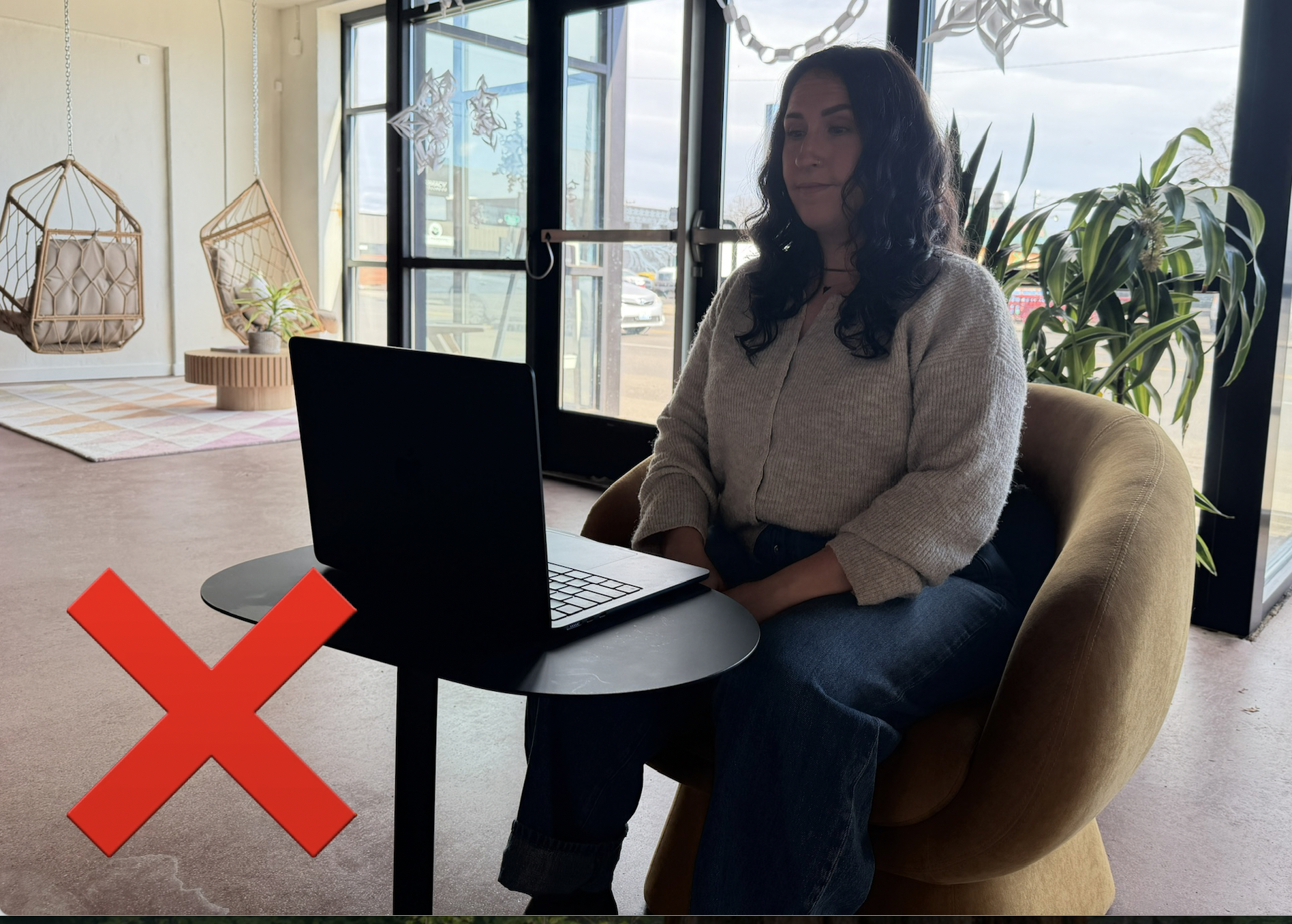
2. CAMERA POSITION
• Raise your laptop or webcam to eye level (stack books or boxes if needed).
• Frame yourself mid-chest to just above your head.
• Look directly into the lens when speaking (not at your own image).
• Sit about arm’s length away from the camera.
• Shifting or fidgeting will jostle the camera — only move between statements or soundbites.
Goal: Stable. Eye-level. Intentional.
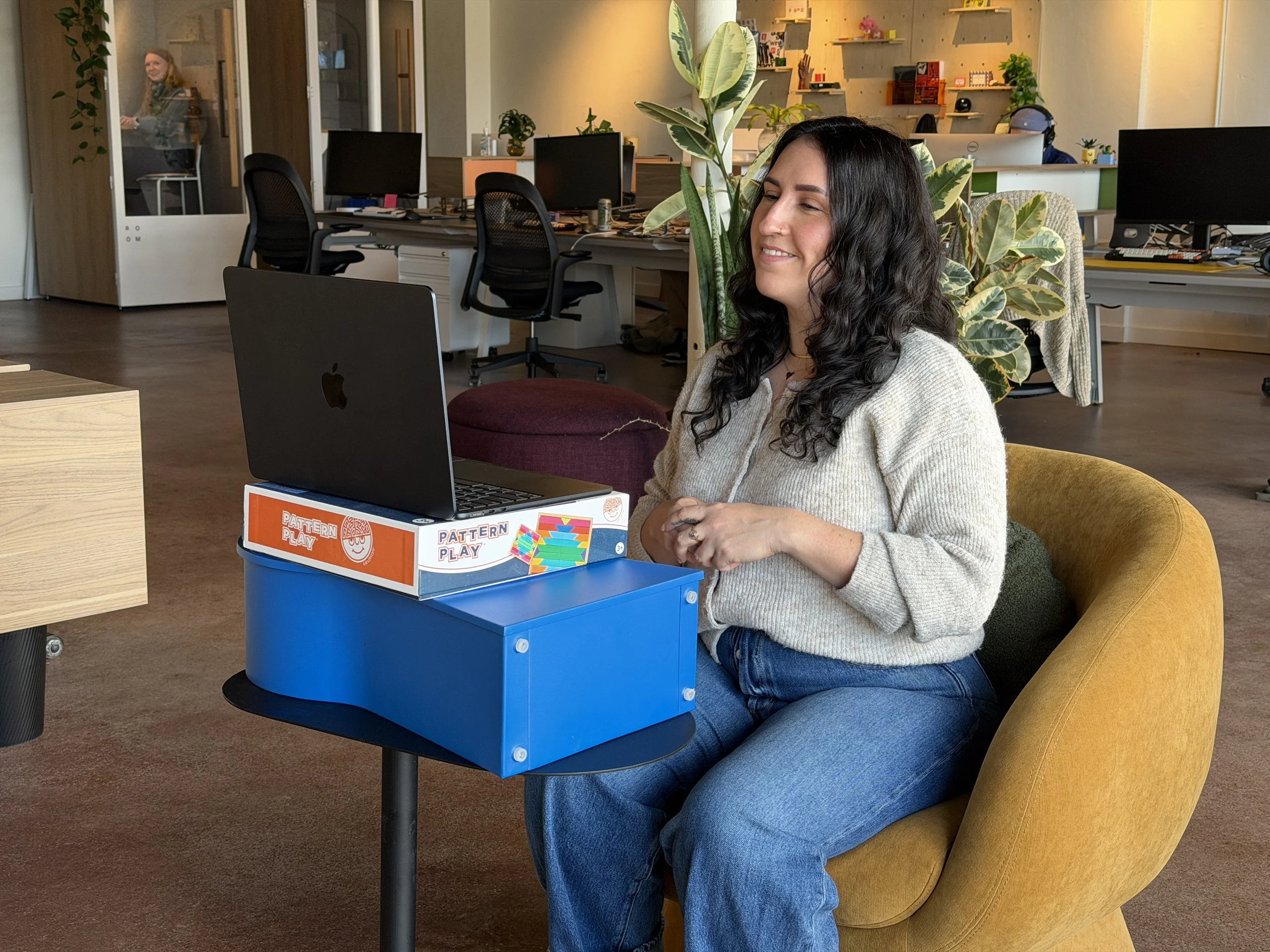
3. BACKGROUND
Avoid:
• Cluttered spaces
• Beds
• Bright windows
• Distracting or busy decor
Good options:
• Tidy bookcase
• Office setting
• Neutral, plain wall
• Simple art pieces
Simple always wins.
4. AUDIO QUALITY
Choose a quiet room with soft furnishings if possible. Textile materials help absorb echo.
Avoid large rooms with lots of hard surfaces.
Before recording:
• Turn off fans, HVAC systems, and notifications.
• Remove accessories that may make noise (especially bracelets).
• Close nearby windows.
• Speak at a natural volume.
If it sounds echoey in the room, it will sound echoey on camera.
5. WARDROBE
• Solid colors work best.
• Avoid tight patterns (they can shimmer on camera).
• Avoid pure white or solid black if possible.
• Choose something that contrasts with your background.
Think: clean, simple, confident.
6. Presence & Delivery
Sit upright but relaxed.
Take a breath before you start.
If you make a mistake, pause and restart the sentence.
Pause between thoughts/soundbites.
Imagine speaking to one person, not an audience.
Try to talk with your hands to add some energy and visual interest.
7. Tech Check Before Recording
Close unnecessary applications.
Plug in your computer (avoid battery mode).
Do a 10-second test recording and review it for lighting and sound.
Make sure to clean your camera lens; smudges or smears make for a foggy image
Check your recording settings to ensure you capture the highest resolution possible